Unifying complex visualizations across AppDynamics portfolio

Role
Product designer
Collaborators
Designer, content designer, DEM eng team
timeline
As a designer on loan to the Digital Experience Monitoring team, I was tasked with integrating complex performance data into a high-pressure troubleshooting workflow. The goal was to visualize End User Response Time (EURT) via a waterfall chart, enabling DevOps and Fullstack engineers to pinpoint frontend bottlenecks in seconds.
Faced with a critical one-month GTM deadline, I executed a dual-track strategy: delivering a high-impact "Middle Ground" solution for immediate release while simultaneously architecting a vision for a unified, system-wide waterfall component.
DevOps and UI Engineers were struggling with mean time to resolution. The existing data was fragmented. We needed to display end-user response times broken down by key events without overwhelming the user with "data noise."
THE CHALLENGE
To meet the 30-day deadline, I performed a "build vs. reuse" audit. I collaborated with engineering to leverage our existing traces waterfall component, extending its capabilities rather than building from scratch.
User-centric density
Interviews revealed that users needed event names at a glance, not hidden in tooltips. I designed a Smart-stacking logic for flags, ensuring that even when multiple events occurred in close succession, the text remained legible and actionable.
Edge-case solving
I explored various indicators for key events. While legend-based icons were aesthetically "cleaner," they failed on color accessibility and precision. I ultimately opted for End-of-Bar Flags, which tied the event directly to the influencing span.
Information hierarchy
Users needed to see the "big picture" (total timeline) before diving into the "spans." This reduced initial cognitive load.
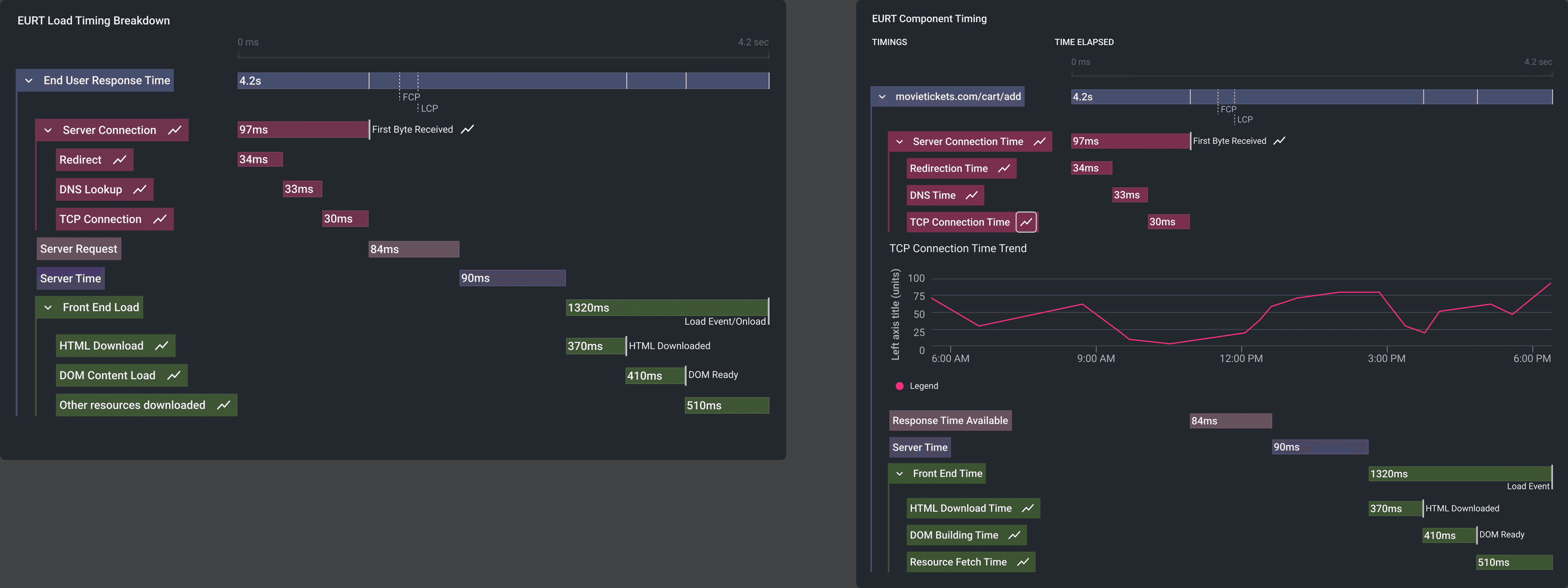
Version using current waterfall designs to create an at-a-glance timeline and detailed breakdown.
While the V1 met the immediate release, I recognized a larger systemic opportunity. AppDynamics was moving toward the Cisco Magnetic Design System, which lacked a standardized waterfall component.
I spearheaded a cross-functional initiative to design a "Universal Waterfall." By interviewing designers across various product pillars, I identified a core set of shared requirements:
✻
Tree/nesting layout for complex parent-child relationships
✻
Fixed headers & summary views for persistent context during long scrolls.
✻
Sorted tables to allow users to pivot data by duration or status.
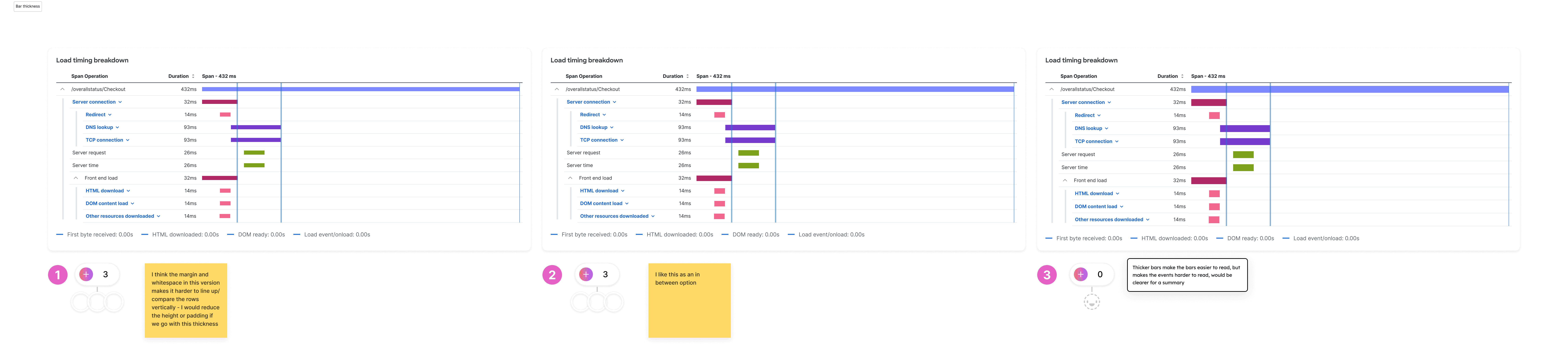
I brought together design leaders, project managers, and relevant design owners to decide on necessary features.
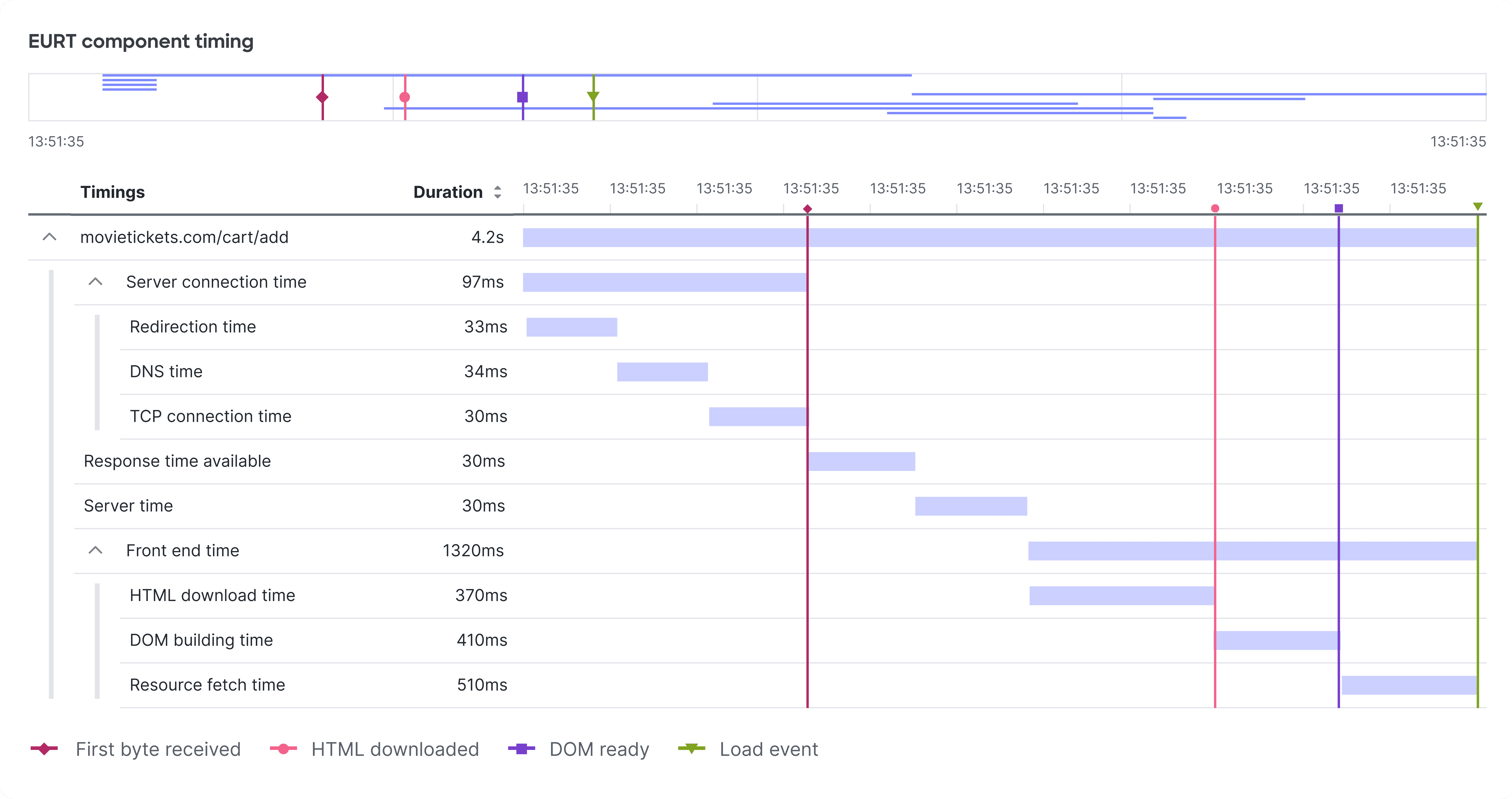
The EURT waterfall using the new universal waterfall design
Standardization
I created the new waterfall pattern and authored usage guidelines, ensuring a cohesive experience across all AppDynamics Observability products
Efficiency
The final design moved from a custom-coded "black box" to a table-based framework that improved visual alignment and simplified future engineering maintenance.
Outcome
The "Universal Waterfall" was voted by the design org as the primary standard for performance visualization, effectively "de-risking" future data-heavy feature builds.