Scaling consistent quality and velocity across Splunk products with a foundational design system rebuild

Role
Product designer
Collaborators
Splunk UI Team (5 designers, 9 engineers)
timeline
May 2024 - May 2025
The Splunk UI Design System is the centralized foundation for creating cohesive, scalable, and inclusive experiences across all Splunk products. It it utilized from the core platform to specialized cloud applications, and is even adopted by third-party developers.
Delivering over 80 tested, production-ready components paired with clear guidelines.
Ensuring every component meets the highest standards for accessibility and performance
Allowing hundreds of designers and engineers to focus their energy on solving complex user problems.

2024 Wrapped showcasing SUI's impact, illustrated and designed by me.
The v.5.0 release of Splunk UI was a significant, year-long architecture rehaul to solve a foundational problem: our different product lines looked and felt disconnected. This major release was also the perfect opportunity to address 100% of our bug ticket backlog.
Our product family had a significant consistency challenge: products looked and felt like they were built by different teams at different times. This is because our components had two different themes and builds: Prisma (for Observability and newer cloud tools) and Enterprise (for our Core and Security products). The result was a usability headache for users trying to navigate different parts of our platform, and a massive time drain for our design and engineering teams who were forced to maintain parallel styling.
The primary design goal was simple: to unify the underlying system so that one robust component build could support both themes. This would speed up both design and development for product teams across Splunk.
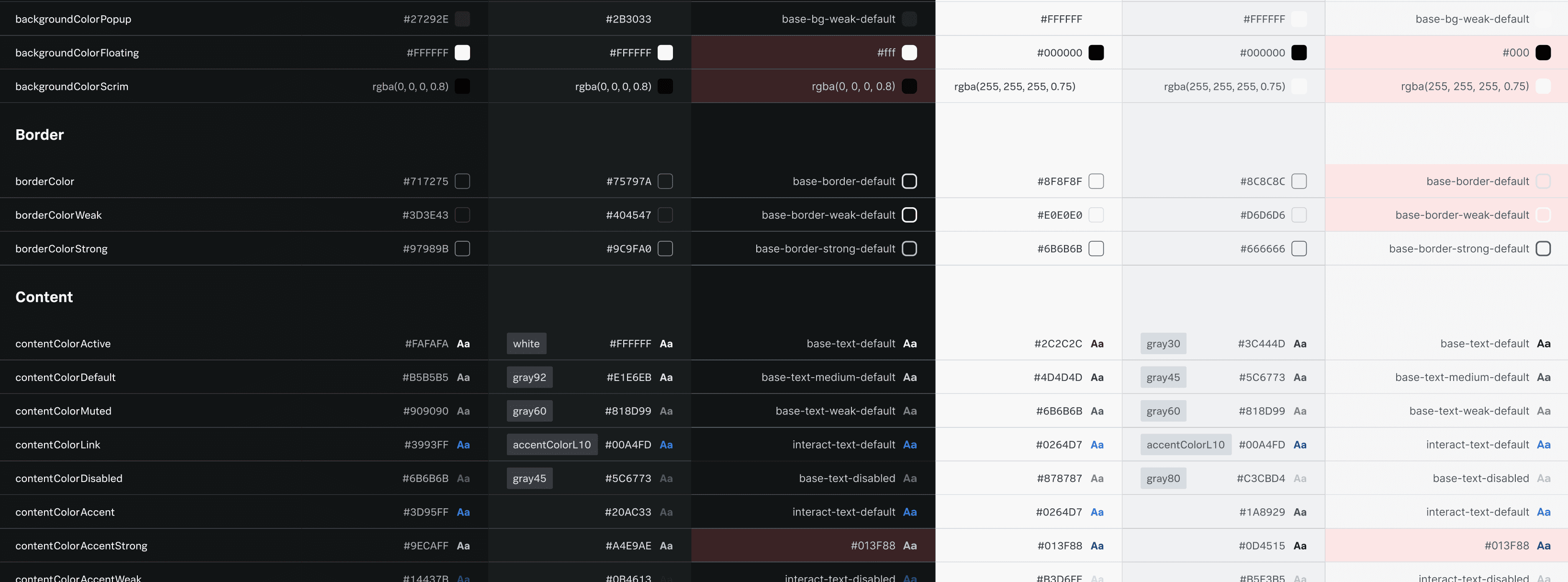
Two different themes, two different color modes, and one theme customizer on top led to a huge table of tokens to keep track of.
Unified Theming and Tokens
Created a single source for styling now ensures that every component, regardless of the theme it displays, is built from the same foundation, dramatically improving visual cohesion for end-users.
Future-Proofing for Brand Alignment
This re-architecture created a flexible layer that paved the way for the new Magnetic theme customizer. Magnetic is a design system that most Cisco networking products have adopted, and post-acquisition, parity with Cisco products has become a priority.
Driving Accessibility and Quality
Working closely with our accessibility team, the v.5.0 re-architecture was the opportunity to not just fix bugs, but to re-engineer for inclusivity. This massive effort resulted in resolving hundreds of accessibility concerns.
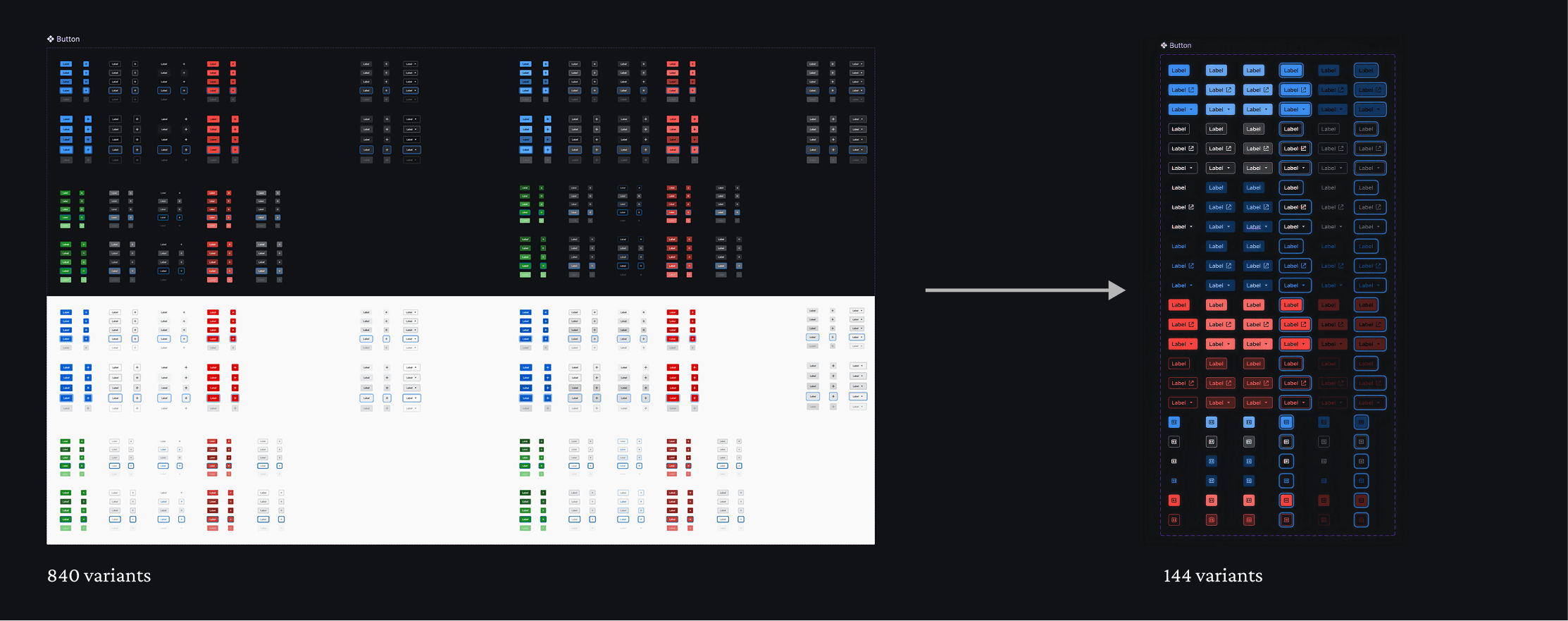
Condensing the color modes and themes into variants reduced component size by 75% on average.
I personally drove the restructuring and implementation of several high-usage and complex components, ensuring theme unification while resolving existing usability and accessibility tickets. Throughout the process, I made sure to prioritize communicating my changes with engineering as early as possible so minimal design changes would have to be made after release.
✻
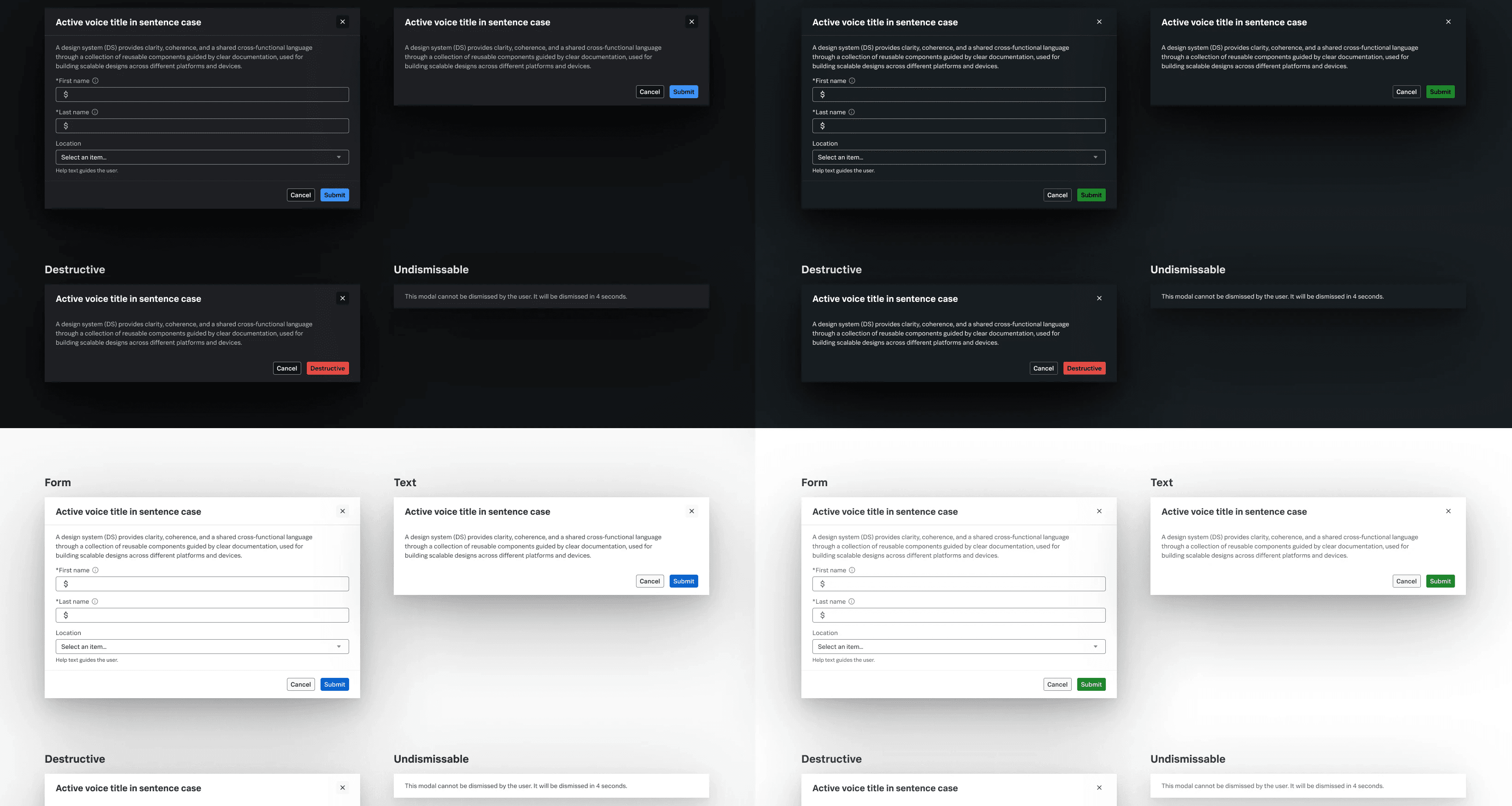
Modal: Renders an overlay that captures the focus of the page at a variety of sizes
✻
Control Group: A container for data entry controls that handles various style and accessibility issues
✻
Text & Text Area: Input for text, single and multi-line
✻
Select: An input for selecting an option from a list.
✻
JSON Tree: Displays and explores JSON data
✻
Step Bar: Provides feedback on progress through a sequential process
✻
Card: Displays information that can contain a header, body, and footer. Contains a slot for content and default examples.
✻
Date: An input for selecting a date
Looking Ahead
Splunk UI Design System is ever-evolving to meet our customers’ needs and adapt to industry best practices. Some upcoming projects include:
Standardizing "rogue" components
Identify patterns that teams are building in isolation and bringing a single version into Splunk UI.
Unifying navigation
Collaborating with product teams to adopt our new navigation shell, consistent with other Cisco products.
Documentation for humans and AI
Redesigning the Splunk UI website, taking feedback from both our engineer and design users.
Brand evolution
Bringing in a new Cisco cross-product branding movement into the website and components.
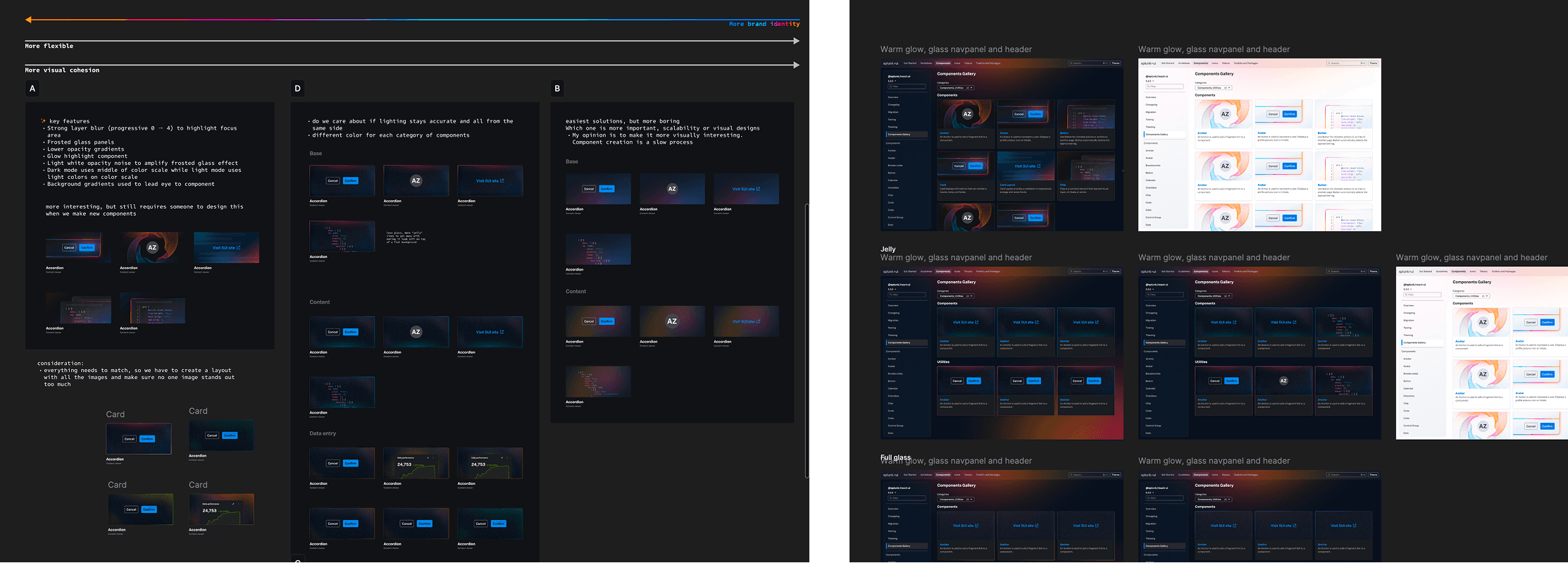
Visual explorations on how new brand levers can be applied with intention across the design system website.